Revisions
A revision is the main work record in Reviscan. It belongs to a project and describes the device, dates, status, responsibility, and evidence for a technical inspection.
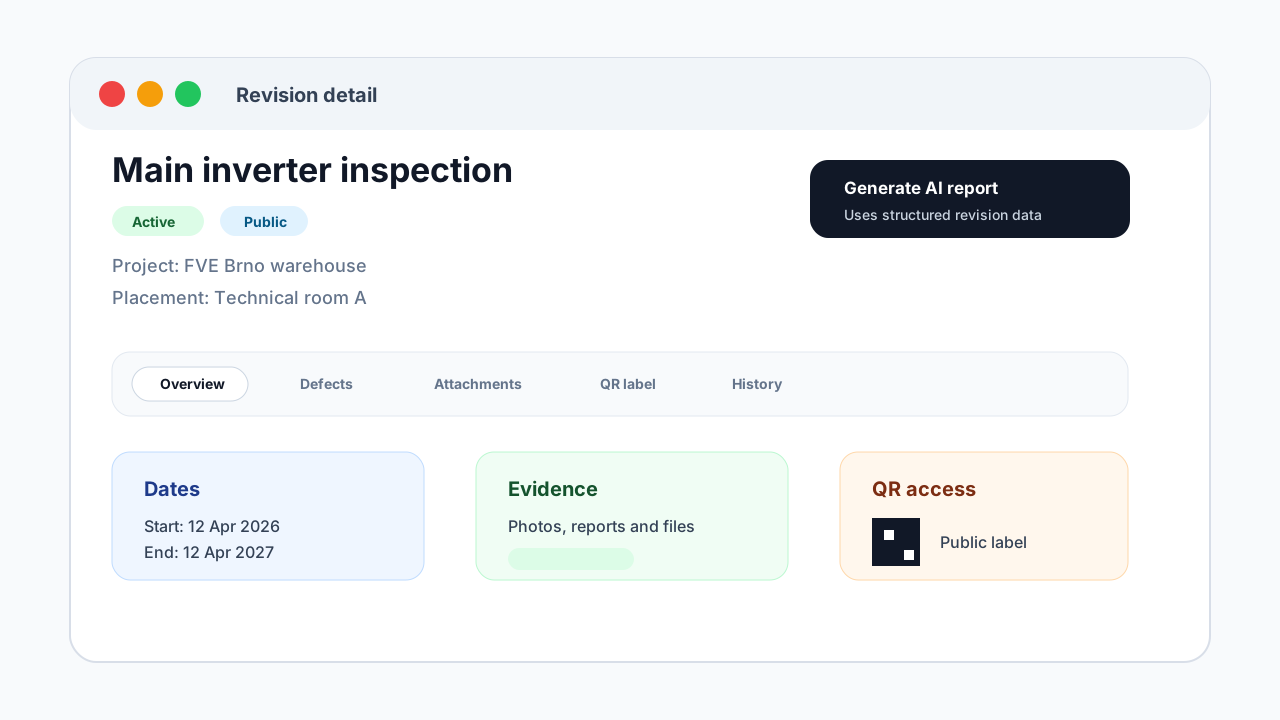
Revision statuses
Reviscan uses these main statuses:
- Draft for new or unfinished revisions.
- Active for valid or ongoing revisions.
- Overdue for revisions past their due date.
- Needs revision for revisions that require follow-up work.
- Archived for historical revisions that are no longer part of daily work.
In the revision list, you can filter by status. Reviscan also distinguishes revisions that are nearing their due date.
Revision detail
The revision detail brings together:
- device, model, manufacturer, and placement,
- revision start and end dates,
- public or private visibility,
- notes,
- attachments,
- defects,
- QR label,
- change history,
- AI-assisted revision report.
Attachments
You can upload photos, protocols, and supporting files to a revision. Uploads respect the organization storage limit. If the selected files would exceed the limit, Reviscan stops the upload.
Defects
Defects are separate records under a revision. Each defect has a title, description, severity, status, corrective action, responsible person, and optional due date. They help track what must be fixed before work can be closed.
QR label and public page
If a revision is public, Reviscan can create a link and QR label. You can download or print the label. The public page shows a safe subset of revision information; private revisions are not publicly available.
AI revision report
You can request an AI report from a revision. Reviscan uses structured revision and project data, sends a backend job, and stores the result back on the revision. When the report is complete, you can open or copy it.