Revision import
Import is useful when your revisions already exist in a spreadsheet. Reviscan supports CSV and XLSX files and guides you through data review before saving.
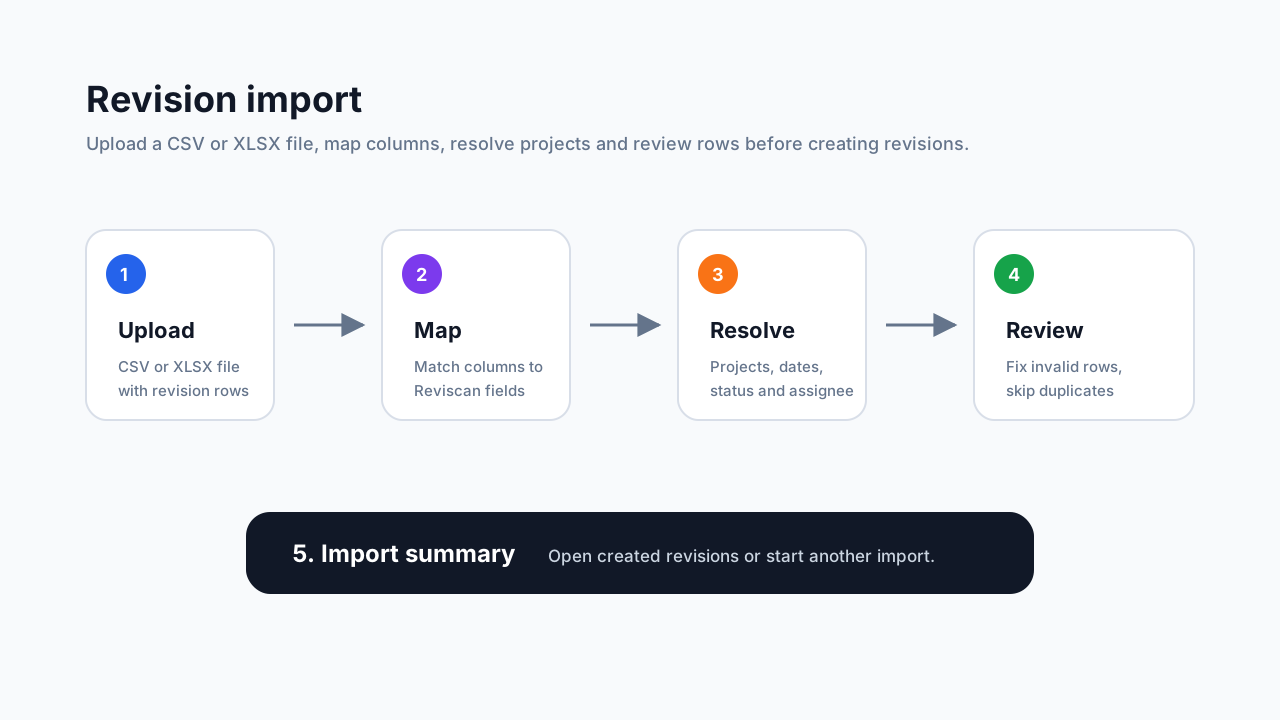
Supported data
The import can work with columns such as:
- device name,
- device type, model, manufacturer, and serial number,
- placement,
- revision start and end dates,
- revision interval,
- status,
- project,
- assigned technician,
- public visibility,
- notes.
Device name is required. Other values can be completed during the import flow depending on what is missing in the file.
Step 1: Upload a file
On Revision import, choose a CSV or XLSX file. Reviscan uploads the file and prepares a data preview.
Step 2: Map columns
In the second step, match file columns to known Reviscan fields. If the file has multiple sheets, choose the right sheet. You can let Reviscan detect the date format automatically or select it manually.
Step 3: Resolve projects and assignments
Project values from the file can be linked to existing projects, used to create new projects, or left unassigned. Assignees can be resolved in a similar way if assignments are available in the current plan.
Step 4: Review rows
Before import, Reviscan shows which rows are ready, invalid, duplicated, or need more information. You can edit individual rows, skip them, or import them after review.
Step 5: Run import
After confirmation, Reviscan creates revisions in the organization. At the end, you see a summary and can open the revision list or import another file.